Unique Visitor Counting🔗
The Unique Visitor Counting module is designed for building reports on counting unique visitors. It is possible to exclude from counting the persons present in the face database and included in the specified groups of this database. This may be required when you want to exclude your own employees from counting.
Warning
This module will only work on the cameras on which it has been enabled by the administrator of video surveillance system.
"Unique Visitor Counting" report🔗
The Unique Visitor Counting report provides an infographic on unique visitors, including four graphs: by number of visitors, by age, by gender, and by emotion.
The following emotion recognition results are available: Positive, Neutral, Negative and Unknown.
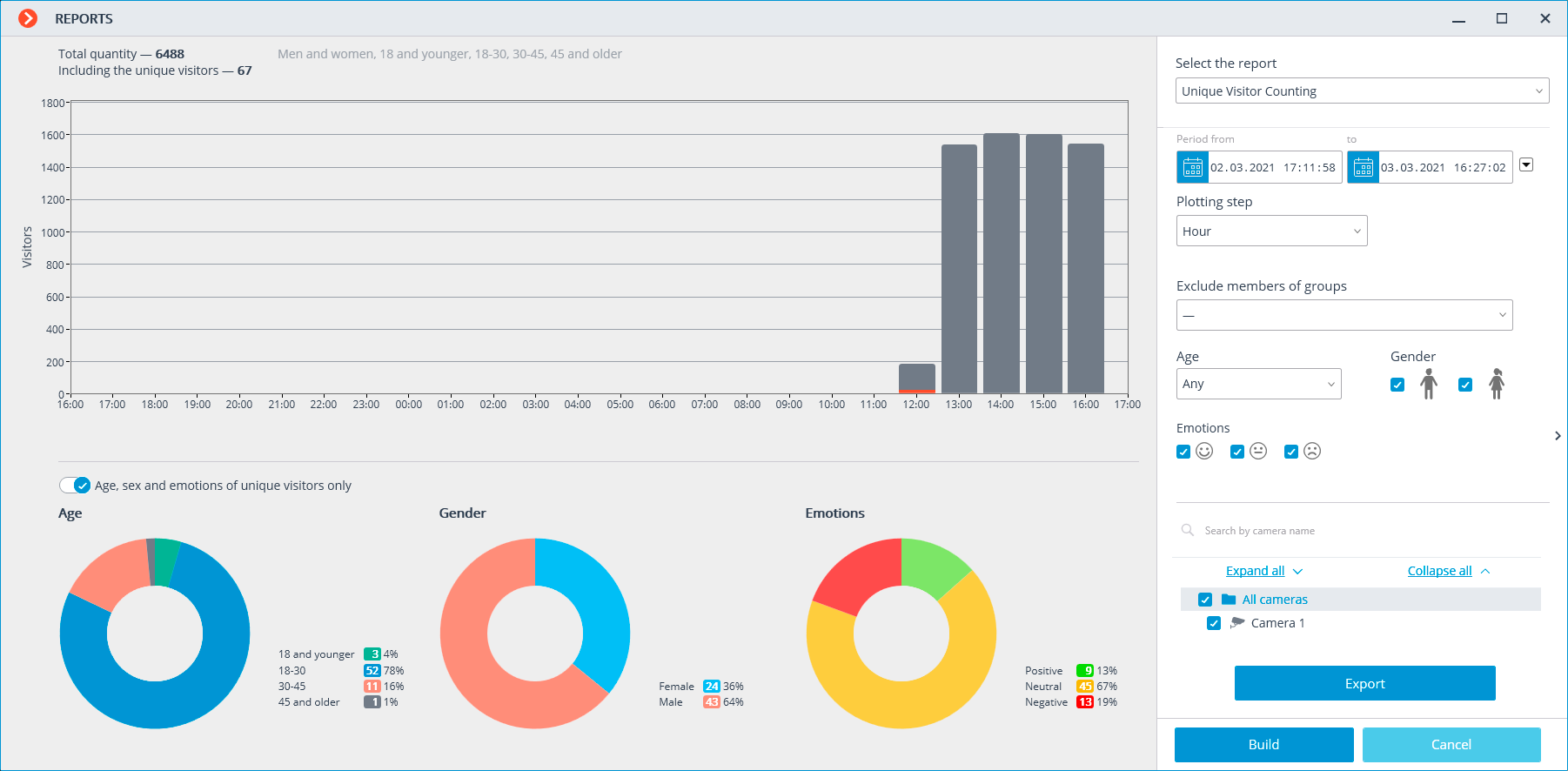
In addition to the period and step of the graph, this report allows you to specify the gender, age, and emotions of the people you want to include in the report. In addition, you can specify groups from the database of persons whose members will not be counted in the report; in this way, for example, you can exclude your own employees from the count.
The visitor count graph shows both unique and total visitors at the same time.
Age, gender, and emotion charts are plotted for unique visitors by default.
If the Count turned faces option is enabled, visitors with their faces turned away from the camera will be counted.
Note
To switch to the display of gender, age and emotional statistics for all visitors, you need to toggle the corresponding toggle switch. You do not need to build the report again to update the information.
Note
Export of report in CSV format is available.
"Face Detection" report🔗
The Face Detection report displays faces detected in the frame and information about them (age, gender, emotions, and time of detection).
This report can be used to exclude certain individuals (e.g., the company's own employees) from the count. The face database should be used for this purpose. Since this database is similar to the databases of face recognition modules, the methods for working with it are described in face recognition documentation.

When the Filter by time option is enabled, it is possible to specify the period for which recognized faces will be displayed.
Note
If the Face Recognition (Complete) module is enabled on the camera, faces from the database will be displayed in the report — the Sample and Accuracy columns will be filled in.
Warning
If the start of the reporting period is specified earlier than is available in the video archive, the start of the report will be automatically shifted to the earliest available fragment of the video archive.
Events occurring during the requested period will only be shown in the report if there is a corresponding video archive available for them.
Related references🔗
Configuring Unique Visitor Counting
Requirements and recommendations for the Unique Visitor Counting module
Installation and update of the Unique Visitor Counting module